

 Features
Lottery tools for every shift
Manage lottery sales, track pack activity, and keep your store organized with LT System.
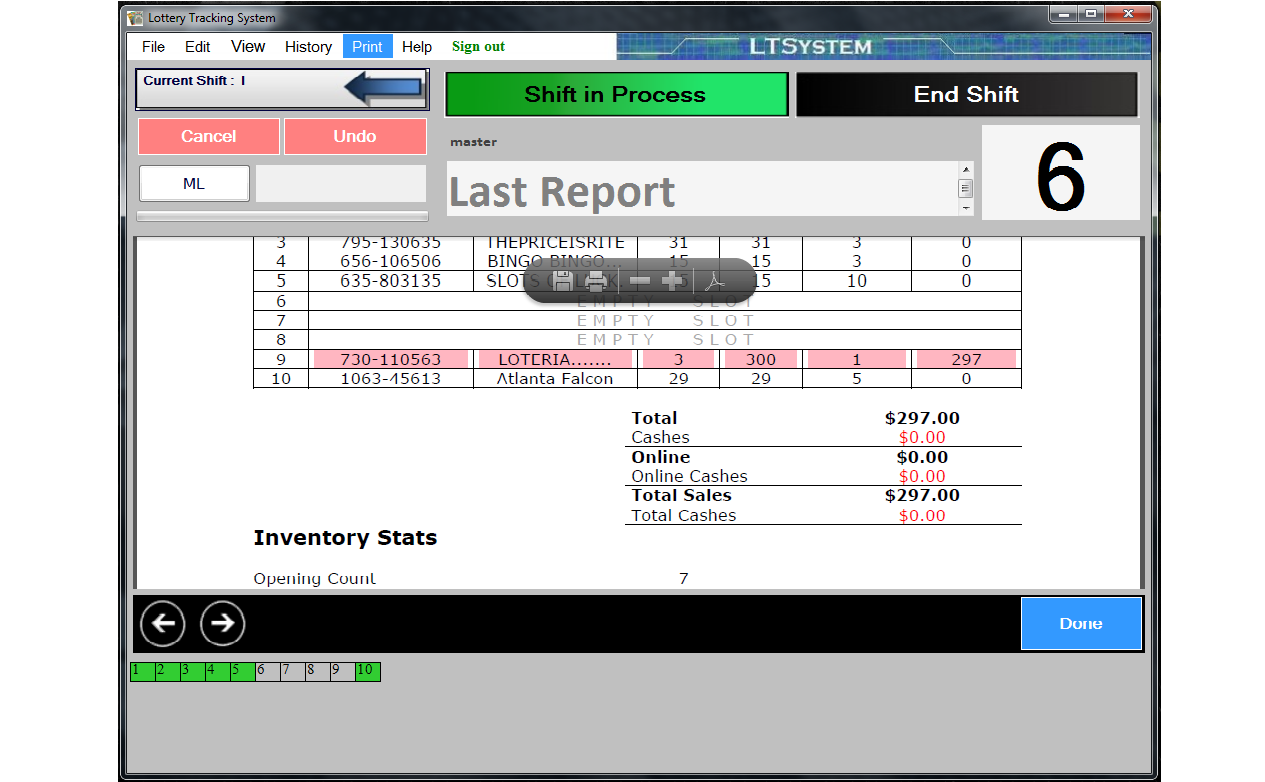
 Shift and day reports
Review game names, pack numbers, opening and closing positions, and sales. Combine shifts to see daily activations and sold packs.
 PDF email reports
Automatically receive a PDF report by email at the end of each shift.
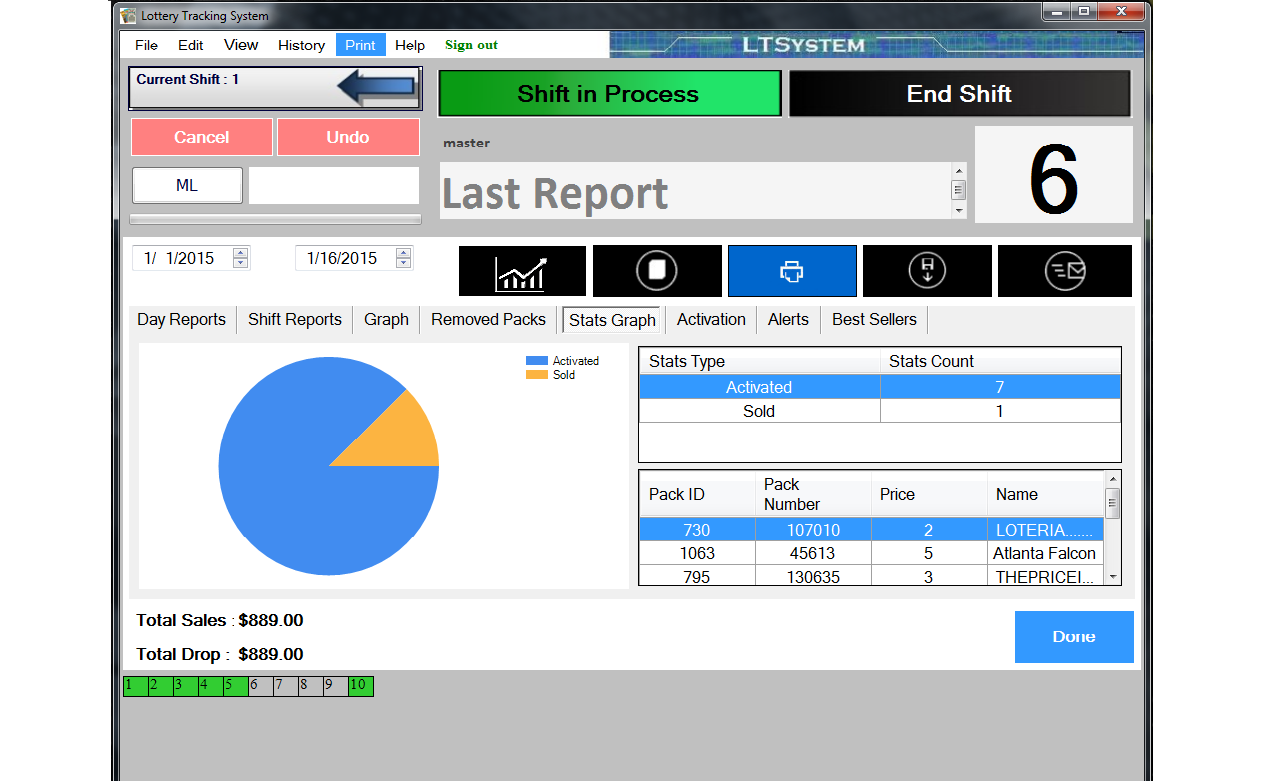
 Activation history
Review activations and EFT totals by date range, and set daily or weekly activation limits.
- Ticket history
Follow each pack from activation to completion and investigate mistakes.
- EFT totals
View weekly, monthly, yearly, selected-date, and last billing cycle totals.
- Best selling packs
See your best selling packs before activating your next pack.
- Inventory count
Track daily inventory, newly received packs, and packs collected by your lottery representative.
- Employee permissions
Set individual passwords and permissions for employee accounts.
- Extended reports
Review expenses, vendor payments, and totals for each shift.
- Weekly, monthly and yearly sales
Look up activation counts and sales totals for the period you need.
 PDF and Excel exports
Save reports in PDF or Excel format for review and record keeping.
- Ticket position corrections
Catch and correct ticket position errors caused by manual entry or barcode scanning.
See LT System in action
Take a closer look at the software you use to manage your lottery counter, reports, and inventory.
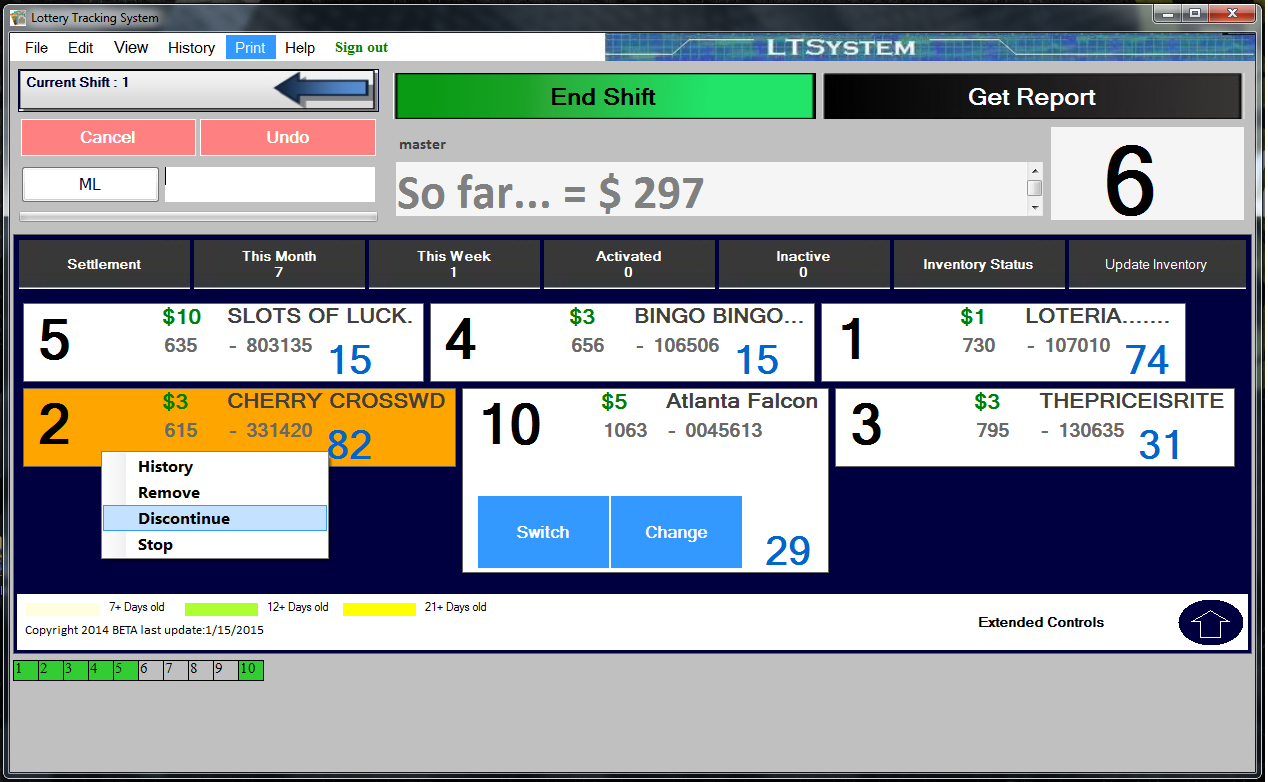
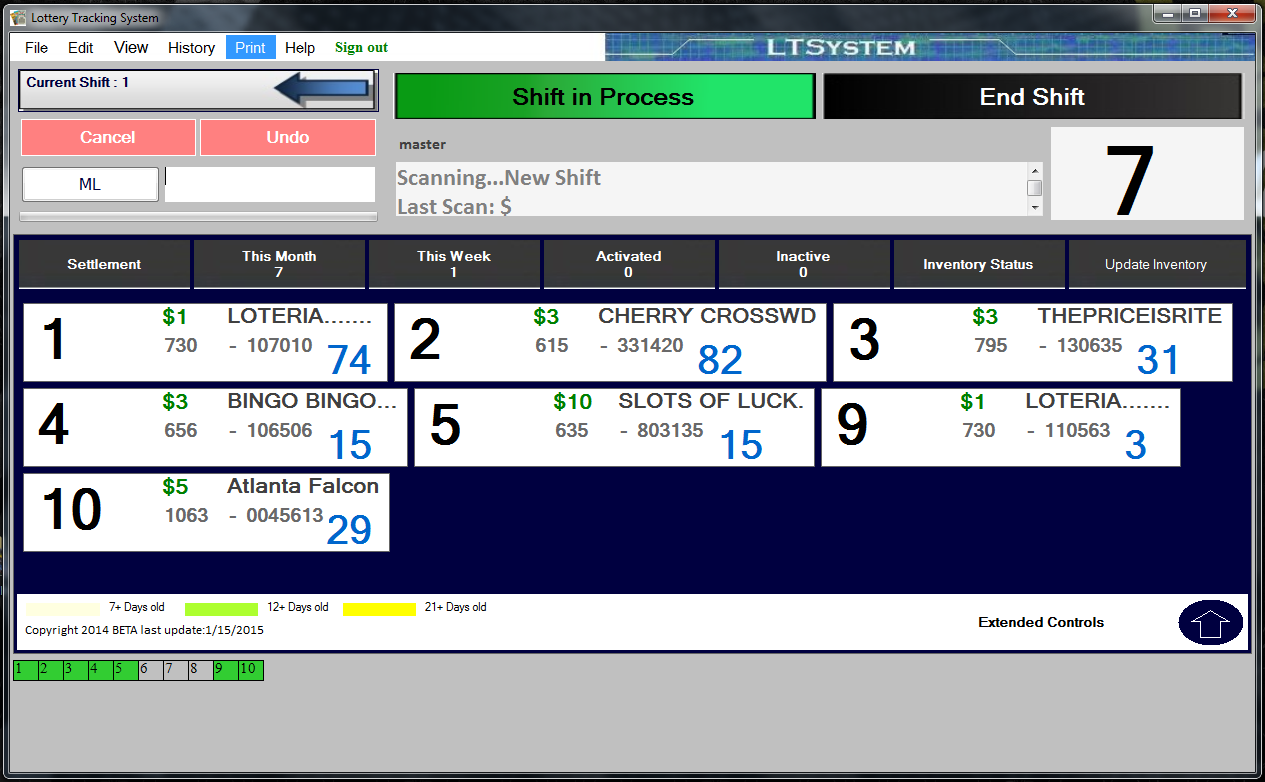
- Easy to use interface
- Rich report formats
- Control employee access
- Monitor your inventory
Free software updates
Keep your software up to date at no additional charge.
Available with LT System Subscription
Keep your data safe and your ticket database up to date. Monthly subscription required.
Automatic backup
Your data is securely backed up to our servers automatically.
New ticket databases
Receive ticket database updates as new tickets are released.
Online Shift Reports Data access
View your store’s uploaded shift report data online.
Multi Store View
Access multiple stores linked to your account from one login.
Built and improved since 2010

Years of development shaped the tools you use today.